
Must Be 21 To Enter
By entering this site you are agreeing that you are at least 21 Years of Age or older.
I AM 21 OR OLDERWhat Does in Store Pickup Mean? a Cannabis Order Guide


In store pickup means you order online, choose a store, and collect it once staff mark it ready, paying online or at the counter. A first-timer taps checkout and assumes the bag is reserved. Treat checkout as a request: go when the status says ready for pickup, and bring the listed ID.
What In Store Pickup Means for Cannabis Orders
In-store pickup means you place an order online, choose one store, and collect it there after staff mark it ready, paying online or at the counter as your confirmation directs.
Say a first-time patient in Washington, DC orders a pre-roll and an edible from her phone on a Tuesday evening. She picks the store she'll visit, submits the order, and stays home. The checkout screen tells her whether payment happened online or will happen at the counter. She waits for the ready for pickup message the next afternoon, then walks inside and collects the bag.
Three parts make that work. First, the online order sends your choices to one location. Second, staff confirm inventory and assemble the items. Third, the handoff happens in person, where staff verify you before anything changes hands. That last step is why your documents matter as much as your order number.
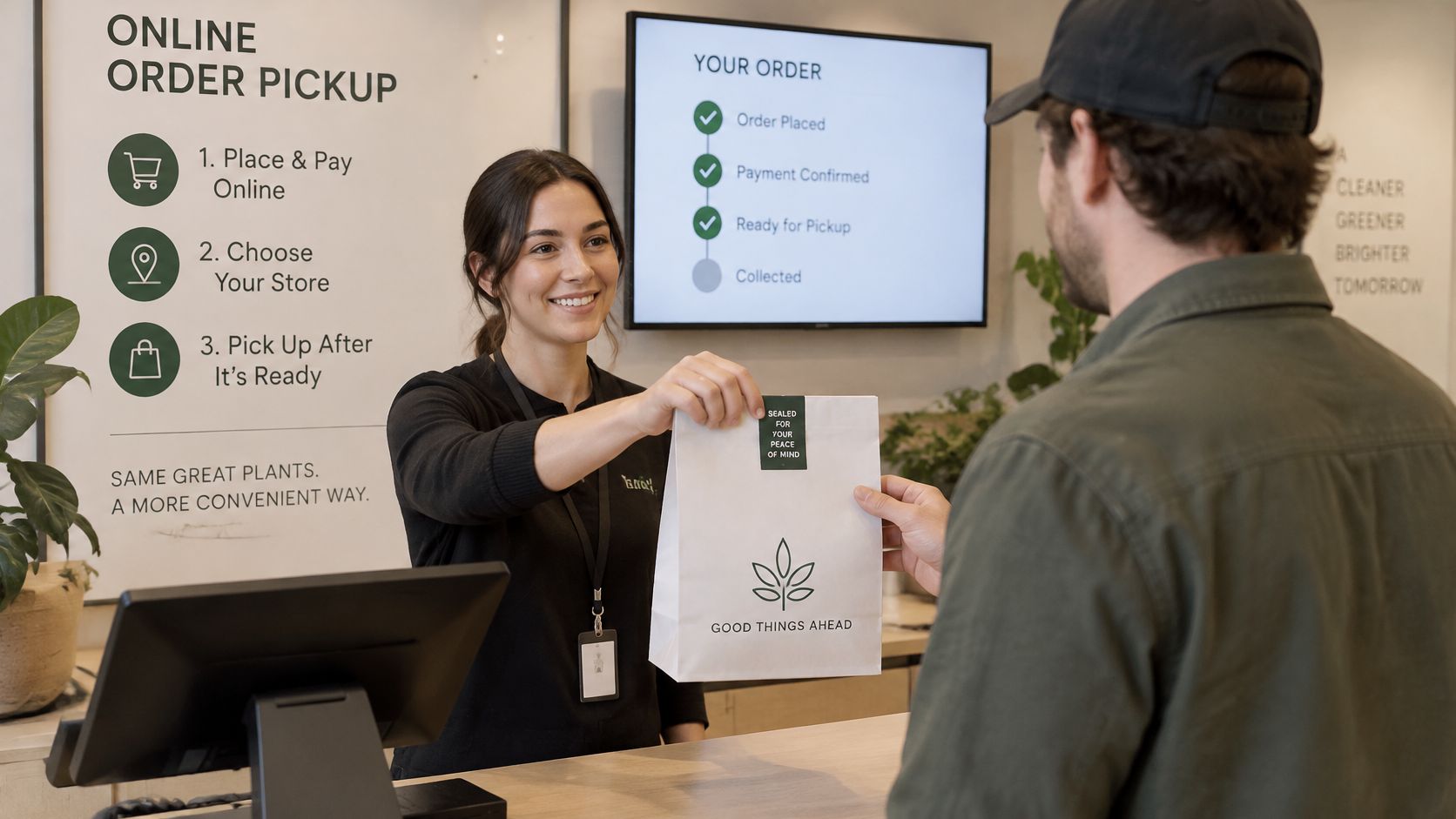
You'll see the same service called buy online, pick up in store, BOPIS, or click-and-collect. The Deloitte perspective on digitized retail routes describes it as digital ordering combined with local fulfillment, where the retailer confirms inventory, sends a ready notification, and verifies the customer at collection. At a dispensary such as Mr. Nice Guys DC, which offers in-store pickup at all 3 locations, the order still passes age, identification, payment, inventory, and local regulatory checks before handover.
Use this simple test for what does in store pickup mean in practice. If you must walk inside to collect, it's in-store pickup.
What Each Order Status Tells You
An item sitting in your cart isn't a reservation yet. It's a request. The status messages that follow tell you how far staff have gotten, and only one of them means you should leave home.
| Status | What It Means | What You Should Do |
|---|---|---|
| Order submitted | Cart request sent; not yet reserved by the store | Do not travel; wait for confirmation |
| Order confirmed | Store has accepted the order into its system | Save the confirmation with your order number |
| Ready for pickup | Staff have prepared the order for collection | Travel within the window in the message and check store hours |
| Collected | Handoff completed at check-in | Keep the receipt for your records |
| Not accepted or canceled | Staff could not complete a stock or eligibility check | Contact the store before returning |
Why a submitted order can still fail
A product can look available online and still not be on the shelf when staff go to pick it. Stock gets misplaced, counts drift, a sale goes unrecorded, or another channel claims the last unit first. That gap between digital availability and physically locatable inventory is the main failure point.
The Verint case study on rue21 pickup improvements reported that associates canceled pickup orders when technical inventory problems prevented them from finding the products. After inventory and communication fixes, that retailer recorded a 72% month-over-month increase in BOPIS orders and a 17-point improvement in Net Promoter Score. Clear status changes are what protect you from a wasted trip.
A practical example
Say you see a vape listed as available and you submit an order at lunch. You have a submitted request, nothing more. If you drive over before confirmation, staff may not have pulled anything with your name on it, and the item may sell in the meantime.
Wait for confirmed, then wait again for ready for pickup. That second message starts your collection window, so check it against the store's operating hours before you travel. If the order flips to canceled instead, staff couldn't complete a stock or eligibility check. Call the store and ask what happened rather than showing up to collect.
Save the confirmation and the ready message together. Staff will ask for your order number at check-in, and having both in one place speeds up the counter check.
Which ID and Medical Documents to Bring
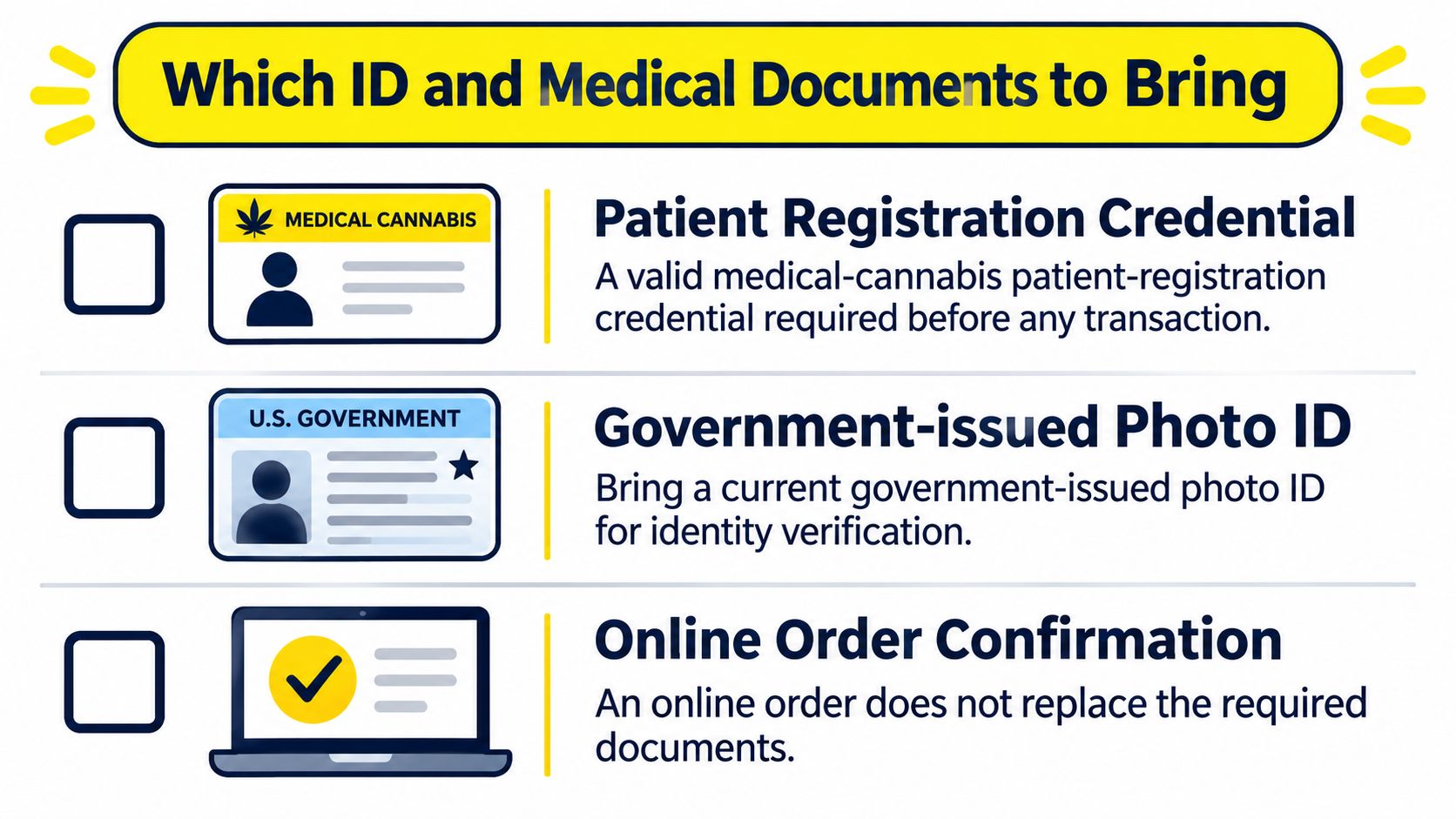
A confirmed order gets your products staged behind the counter. It does not replace the document check. At check-in, customers show ID and a medical card or self-certification, and purchases are checked out the same way as at a regular retail store, so staff verify both before anything changes hands.
The medical credential works like a ticket to the counter, and the photo ID proves the ticket is yours. For out-of-state visitors, the rule shifts slightly. Under DC rules, qualifying out-of-state medical registrations may be accepted with an unexpired photo ID, per the ABCA medical cannabis retailer service page, so confirm your eligibility at check-in. If you're 21 or older and enrolled in a recognized U.S. state or territory program, that registration can stand in place of a DC-issued credential.
| Situation | Medical Document | Photo ID | Who Can Collect |
|---|---|---|---|
| DC medical patient, 21 or older | Valid DC patient registration | Unexpired government photo ID | The registered patient |
| Out-of-state medical registration holder, 21 or older | Recognized state or territory registration | Unexpired government photo ID | The registered person |
| No registration yet | Self-certification at check-in kiosk, if the store offers it | Government photo ID | You, after self-certifying at check-in |
| Pickup for another person | Registrant's medical credential | Photo ID of the person collecting | The registered person in most cases, so plan to collect in person |
Say a visitor places an online order with a valid out-of-state registration but arrives with an expired photo ID. The order was confirmed, yet the transaction can still be refused, because the ID must be unexpired. The fix is simple: check the expiry date the night before, not at the door. Collection is generally limited to the registered person, so plan to pick up your own order.
If you haven't registered yet, kiosks are available at check-in to help customers self-certify, so confirm that option before your trip rather than assuming it on the day. Review our age verification process so you know exactly which document staff will ask for first and the counter check holds no surprises.
How to Complete an In Store Pickup Step by Step
Follow these steps in order. Each one exists for a reason, and skipping ahead is what causes most failed pickups.
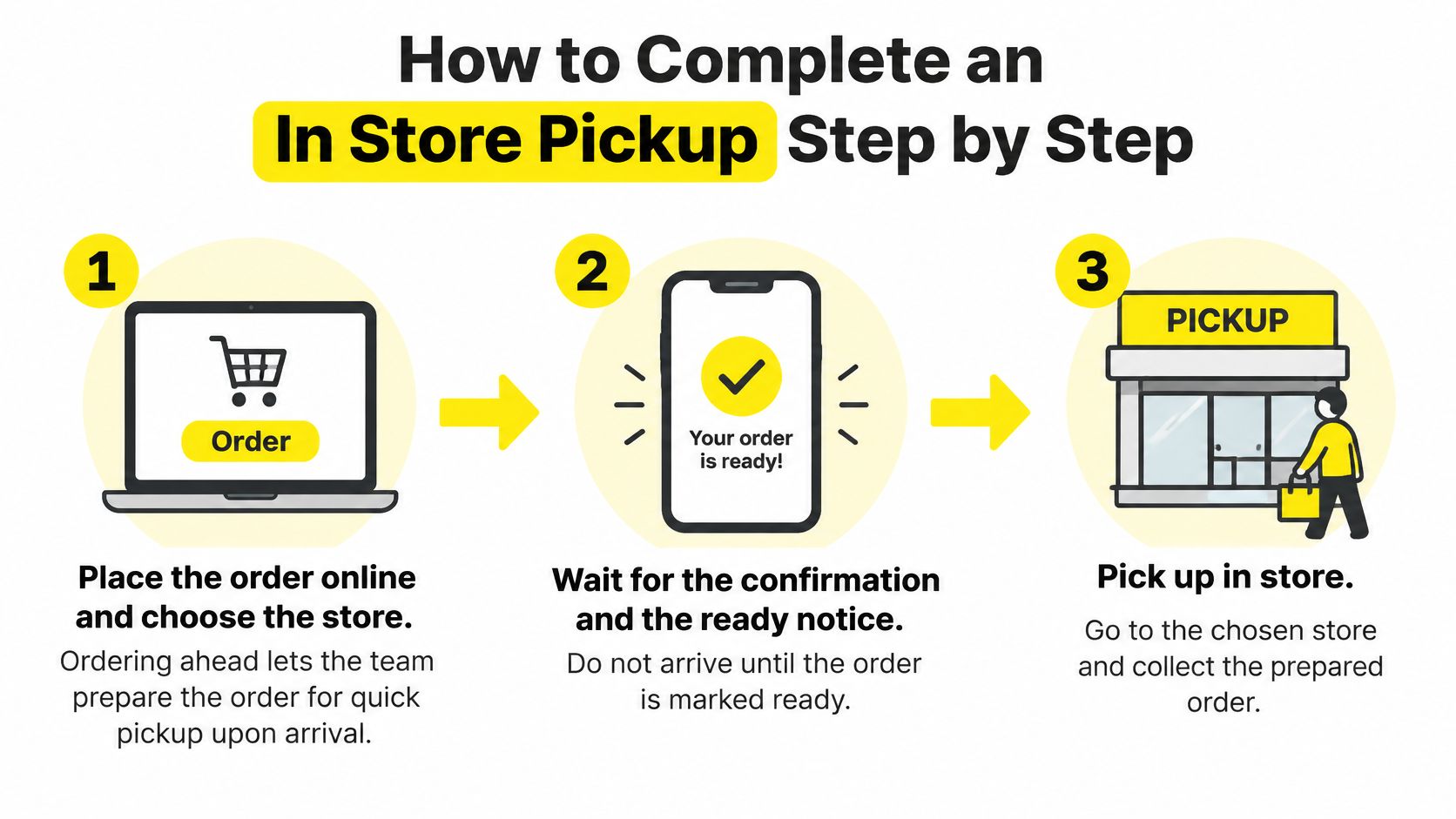
- Place the order online and choose your store. Pick the location you plan to visit, since the order is prepared there. Customers can order online for quick order pickup upon arrival, and ordering ahead lets our team stage your products before you walk in. Our guide on how to order weed online walks through the menu side of this step.
- Wait for confirmation, then the ready notice. A submitted request alone isn't a reason to travel. The ready notice tells you staff have physically pulled and staged your items, which protects you from arriving for products that were never found.
- Check store hours and your collection window. The ready message sets the window, and operating hours set when you can walk in. Both have to line up. For example, if the message says collect by 6 p.m. Saturday and the store closes at 8 p.m., you need to arrive before 6 p.m. Saturday, because the earlier deadline wins.
- Gather your documents before you leave. Bring a valid government photo ID, your medical registration, and the order confirmation or order number. Checking at home takes a minute. Discovering a missing ID at the counter ends the trip.
- Arrive during operating hours and check in. Tell staff you're there for a pickup order. They'll compare your ID and registration against the order. That comparison is a legal requirement, not a formality, and it's how staff confirm the right person receives a regulated product.
- Check items and quantities at the counter. Match each product against your confirmation before you walk away. This catches a substitution or a missing item while staff can still fix it on the spot.
- Complete payment as the store directs. Some orders are paid online, others at the counter. Follow what your confirmation says rather than assuming the online step settled everything.
- Keep your receipt and confirmation. Hold onto both until you've left the store. If anything looks wrong once you're home, the order number is what staff use to look up the transaction.
How long will the store hold your order
Hold periods are set by each retailer, so read your ready message rather than guessing. For comparison, Home Depot's store pickup page says an order remains available for a maximum of seven days after the pickup notification, and unclaimed orders may then be canceled and refunded. We haven't stated a hold length here, so confirm ours with the store before assuming you have days to spare.
Practical rule: If the ready message hasn't arrived, your order isn't waiting for you yet, no matter what the menu showed when you ordered.
Payment, Holds and Cancellations to Expect
Many shoppers assume a confirmed cart guarantees the products. It doesn't. Three causes account for most canceled pickup orders, and each one has a fix you can act on.
- Stock problems. The item was misplaced, miscounted, or claimed through another sale before staff could stage it. The website showed it, but the shelf didn't have it.
- Missing or invalid documents. An expired photo ID or an expired patient registration stops the transaction at the counter, even when the order itself was accepted.
- A failed eligibility check. Staff recheck age, identity, registration, and purchase eligibility at handoff. If any check fails, the order can't proceed.
A canceled order isn't a sale, and it isn't a penalty. It means one of those checks couldn't be completed. Say you arrive with a confirmed order but an expired registration. Don't expect staff to hand over the items anyway. Ask what to bring next time and whether the order can be placed again once your documents are current.
Payment at the counter
Payment timing confuses first-time customers because the online steps look like a normal e-commerce checkout. Read your confirmation to see whether you've already paid or whether payment happens in store. If you're unsure which methods we accept, check our notes on finding a dispensary that takes card before you travel, so you're not caught short at the register.
Privacy plays into how people pay and collect, too. The GoDaddy survey of 1,500 U.S. consumers found that 54% of Gen Z and 50% of millennials preferred shopping methods that let them avoid other people. A prepared pickup order shortens your time at the counter, which is one reason patients choose it over browsing.
Three questions to ask if your order changes
If staff tell you an order is held, changed, or incomplete, ask these before you leave or hang up.
- What's reserved for me? Get the specific items and quantities, not a general assurance.
- How long does the hold last? Get a day and time, then plan around store hours.
- Is a substitution offered? If your first choice is gone, you'd rather approve an alternative than discover a swap in the bag.
In-store pickup and curbside pickup are available at all our locations, so if a hold problem makes one format awkward, ask whether the other works for your next order. Clear answers to those three questions usually prevent a second wasted trip.
In Store, Curbside and Delivery Compared
Two orders can look identical in your account and still call for different travel plans. The format changes where the handoff happens. The status changes whether you should leave at all. Treat the cart as a request that still needs acceptance, then use the confirmation or ready message as your signal to move.
| Format | Where the Handoff Happens | Human Contact | Best Fit |
|---|---|---|---|
| In-store pickup | Counter inside the store | Check-in with staff; a queue can add a little more contact | Customers who want staff help or prefer to browse |
| Curbside pickup | Staff bring the order to your vehicle | Brief contact at the car window | Customers who want to stay out of the store |
| Delivery | The order is brought to your home | Doorstep only | Customers who cannot travel, after confirming the address is covered |
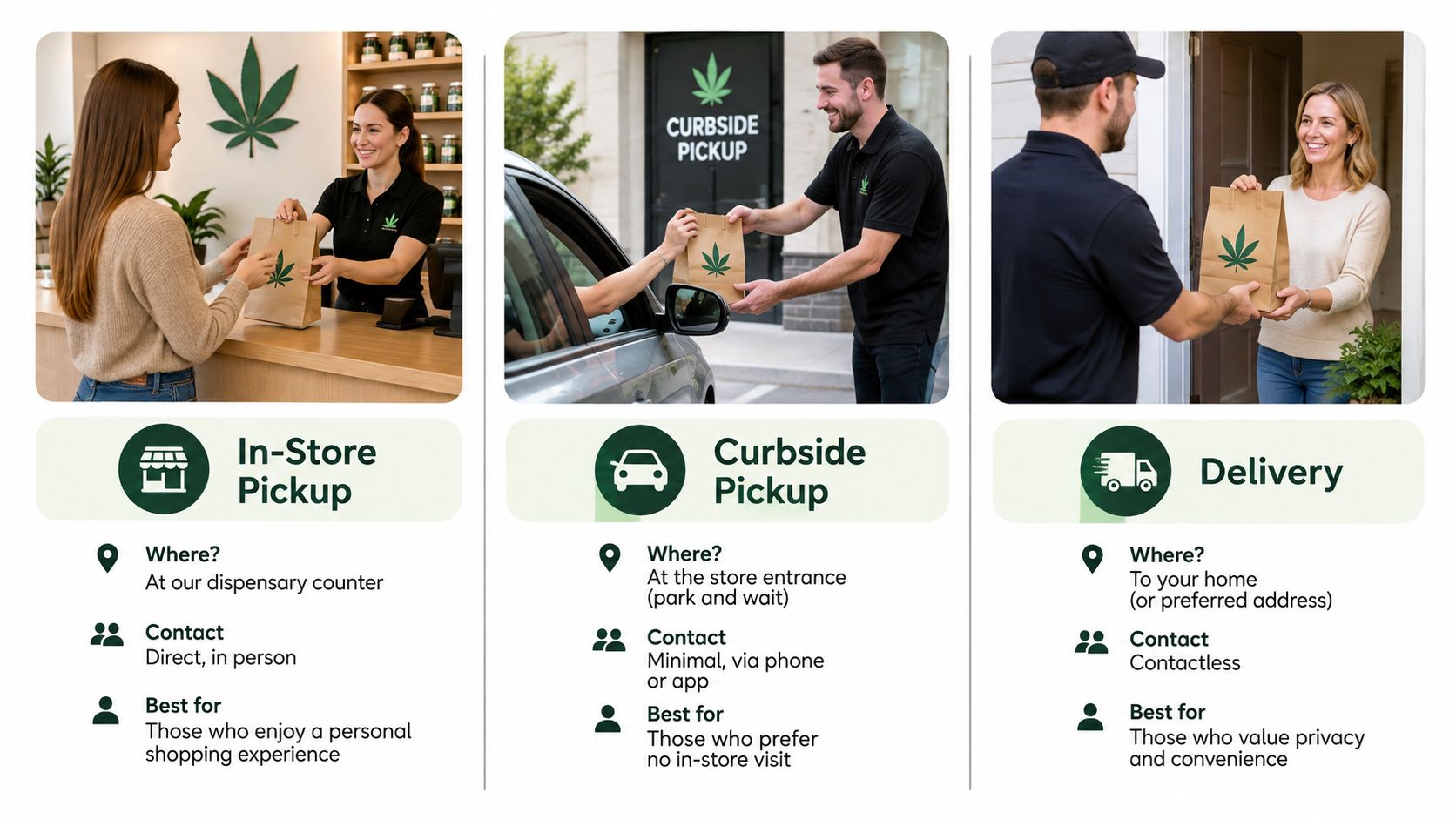
In-store pickup sits in the middle on privacy. Your items are already gathered, so you spend less time discussing products in the open than a browsing customer does. You still check in at a counter, sometimes near other people, so the waiting area and queue shape how discreet the visit feels.
Because in-store and curbside pickup are available at all locations, the choice between them is mainly about contact and mobility, not geography. Delivery works differently: each of the 3 locations can bring products directly to the customer without leaving home, which suits patients who cannot travel, provided the address is in the service area. When an order is placed early, same-day drop-off can be arranged, but the timing still depends on acceptance and dispatch rather than the moment you submit the cart.
Match the format to the visit you need. A patient with mobility limits may prefer curbside, carrying the same ID and medical credential to the car window. A first-time visitor who wants advice on an edible dose may prefer going inside, where questions are easy. For a closer look at the two off-site options, see our guide to curbside pickup and delivery.
One rule applies across all three. An online cart becomes an order only when the business accepts it and sends confirmation; pickup becomes practical when the ready message arrives; delivery becomes practical when a drop-off is arranged. Wait for that status before counting on the products. Payment then works once you are with us: we accept cash and debit card, and there is an ATM in the dispensary.
Confirm Your Documents and Order Before You Go
A confirmed order is what turns your online cart into something worth a trip. Until that confirmation arrives, the cart is a request the dispensary can still review. Once confirmation lands, a short go or no-go test decides whether you leave home. All three parts need to be true.
- Your order is confirmed. You have a confirmation and an order number. A submitted cart on its own is still a request.
- The timing works. The store is open when you plan to arrive, since a confirmed pickup order is collected during store hours.
- Your documents match your situation. An unexpired government photo ID, plus a valid medical card or self-certification, are in your hand. If you still need to self-certify, in-store kiosks can help, though handling it before you travel keeps the visit short.
If all three hold, go with confidence. If any part is missing, fix that part first. Traveling on a partial order is how a ten-minute pickup turns into a wasted afternoon.
Say a DC patient has a confirmed order, store hours that cover her weekday afternoon, and a valid registration and photo ID in her wallet. She can head over knowing checkout at the counter works the same way it does at a regular retail store. Nothing about that visit should surprise her.
If your registration status is the uncertain part, review the medical card requirements before ordering. Once your documents are set, browse the menu and place your pickup order at Mr. Nice Guys DC. After your order is confirmed, you can arrive during store hours to pick it up, and your ID and medical credential let staff check you in quickly.
Mr Nice Guys DC
At Mr. Nice Guys DC, we’re more than just a cannabis delivery service — we’re passionate advocates for quality, convenience, and community. With years of experience in the cannabis industry, our team is dedicated to educating and empowering customers across Washington, D.C. Whether you're a seasoned user or just starting your cannabis journey, our blog delivers trusted tips, product insights, and the latest updates from the world of weed. Stay informed, stay elevated.
